Product tour

See how a band runs on Songtape.

Real screens from the app, on desktop and on your phone. The band and its songs are demo data — the app is exactly what you get.
40-second tour
Song editor in Songtape on a phone
Phone

Side A · The songs

01Project

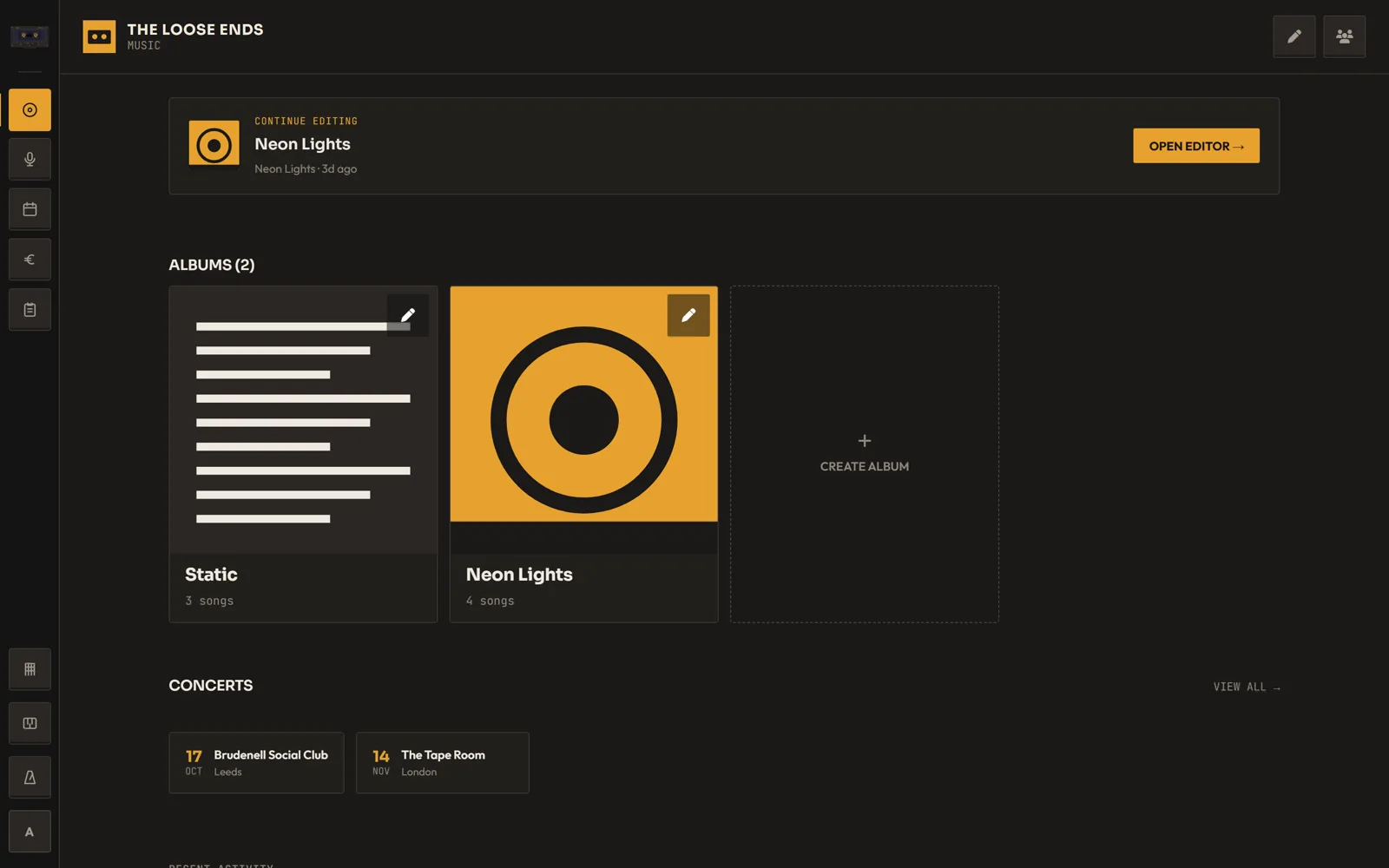
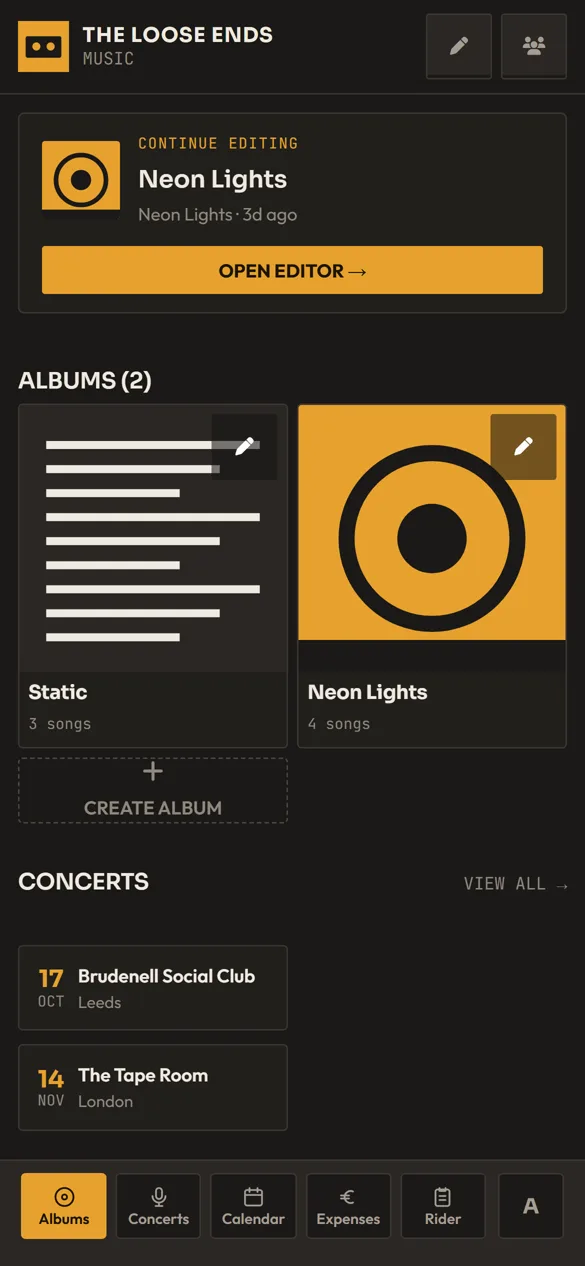
Your whole band, one project.

Each band gets a home: the song you were last working on, your albums and the next gigs.

  • Albums with covers and their songs
  • Pick up the last song you edited
  • Upcoming gigs at a glance
Project in Songtape on desktop
Desktop
Project in Songtape on a phone
Phone

02Song editor

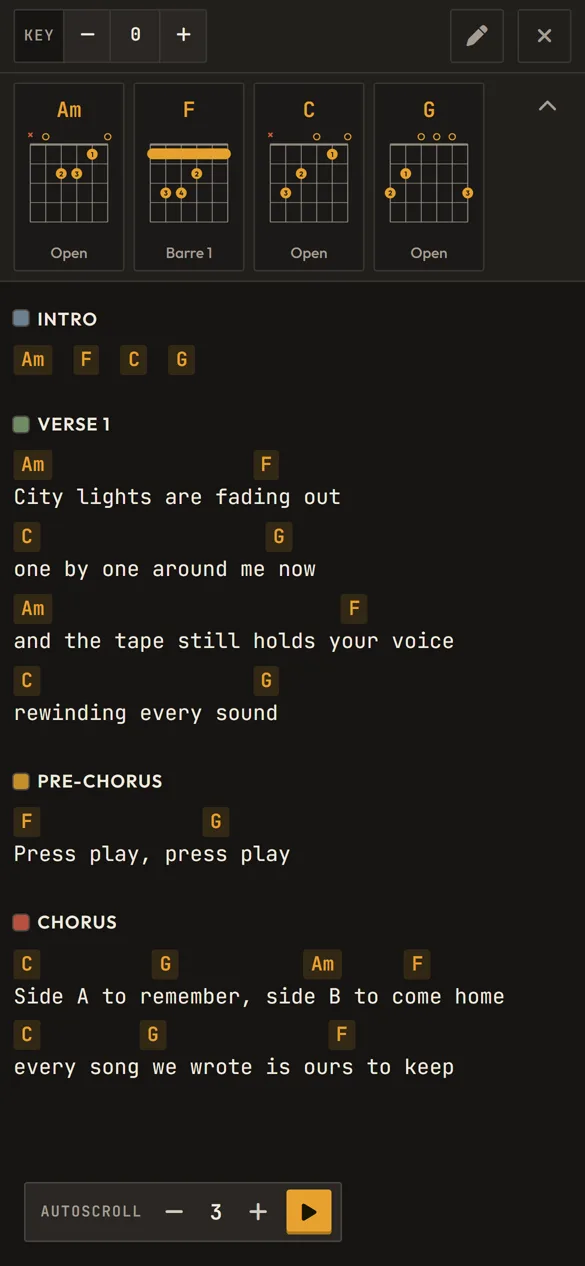
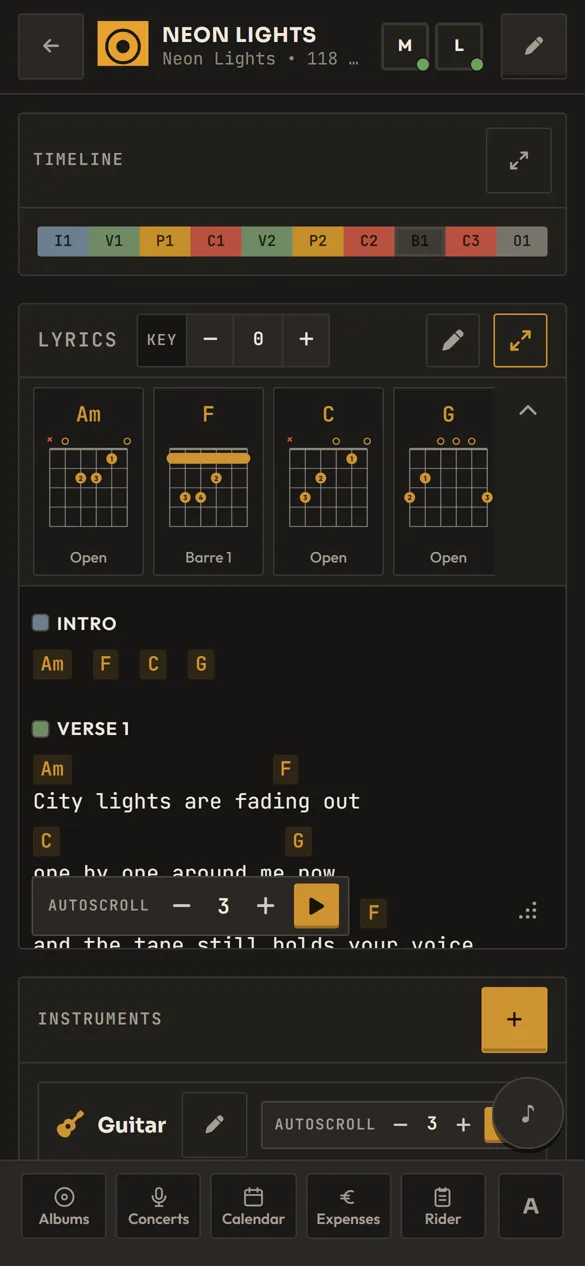
Every part of a song on one page.

Structure, lyrics, audio, tabs and notes live together in the song editor.
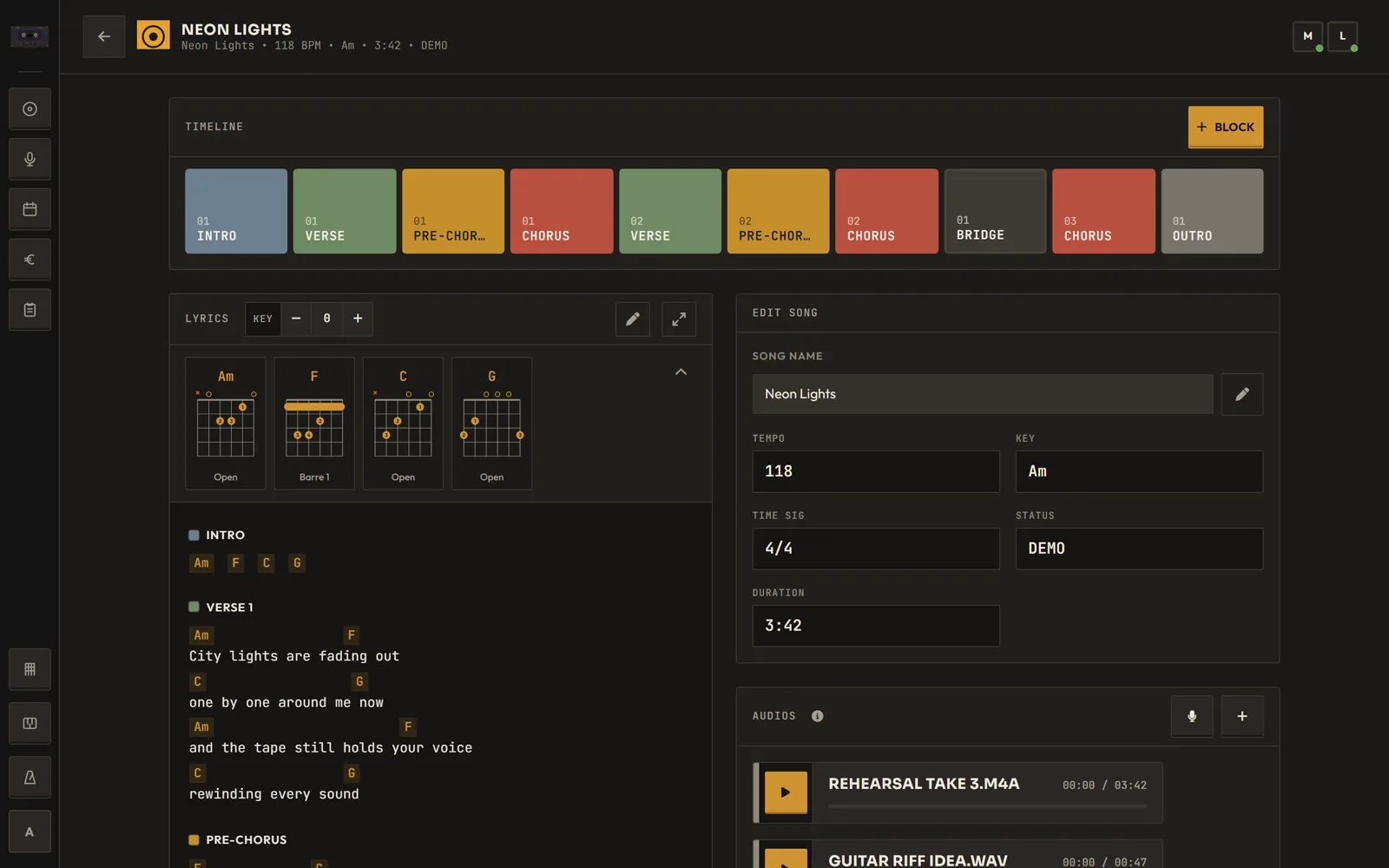
  • Structure in blocks: intro, verse, chorus…
  • Full-screen lyrics with auto-scroll
  • Record a voice note or upload MP3, WAV, OGG or WebM
Song editor in Songtape on desktop
Desktop
Song editor in Songtape on a phone
Phone

03Tabs

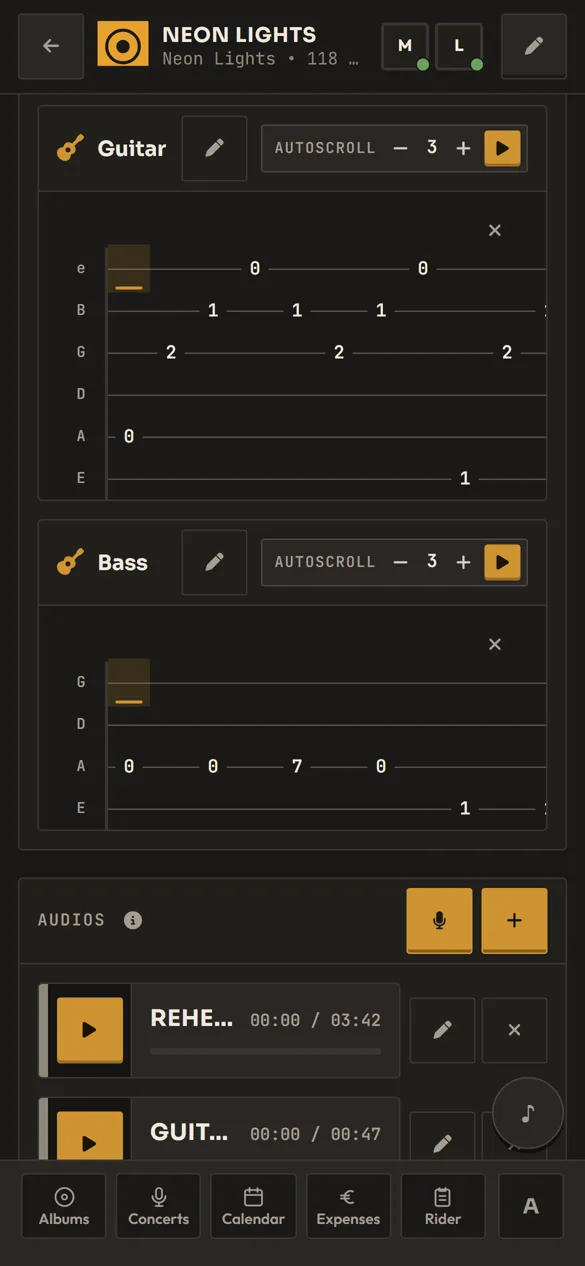
Tabs for every part.

Write guitar, bass and drum tabs right inside the song.
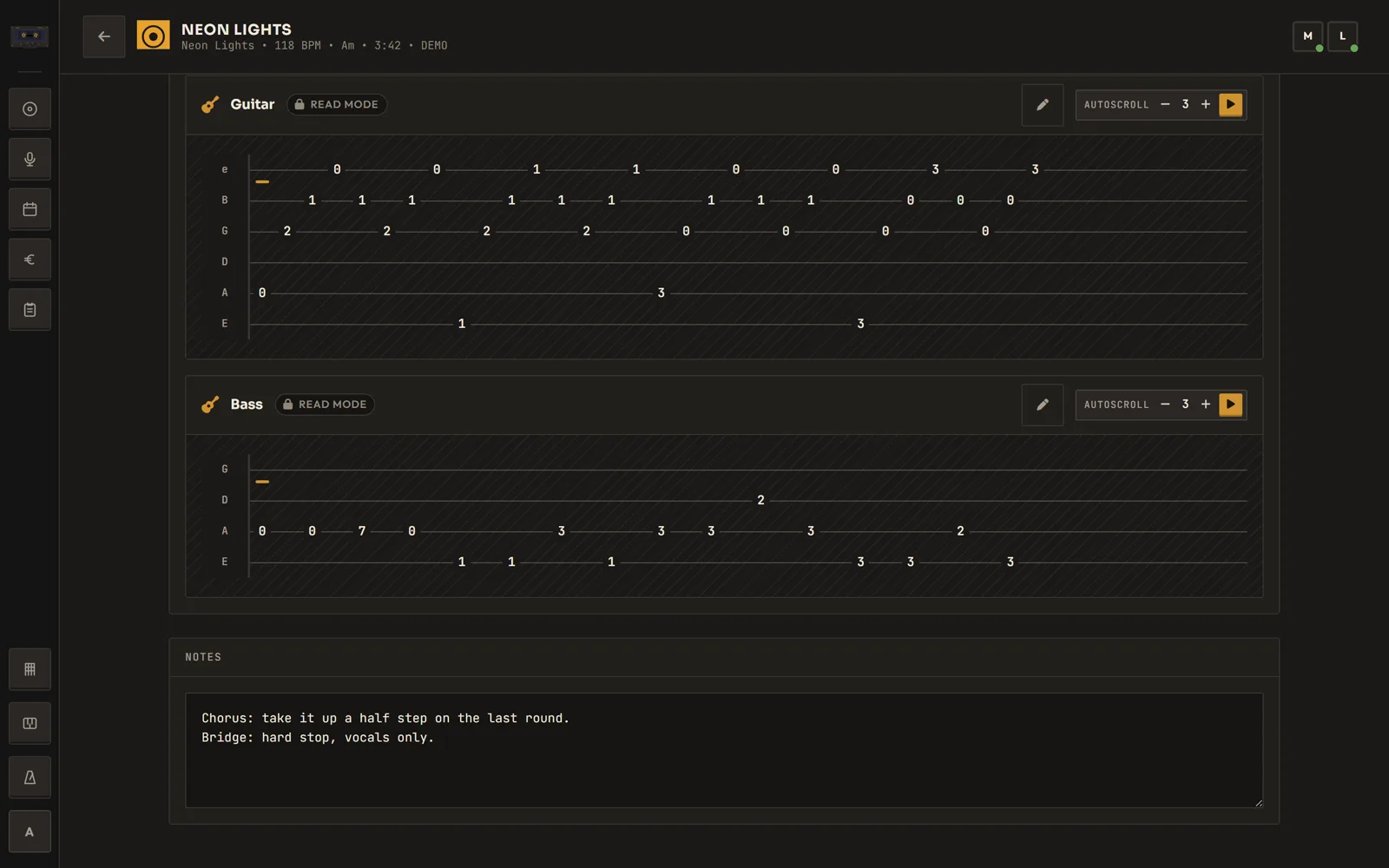
  • One tab editor per instrument
  • Custom tunings
  • Touch keypad for entering frets on a phone
Tabs in Songtape on desktop
Desktop
Tabs in Songtape on a phone
Phone

04Tools

Practice tools, always at hand.

A metronome, a piano and a chord reference: in the side rail on desktop and in the song editor on your phone.
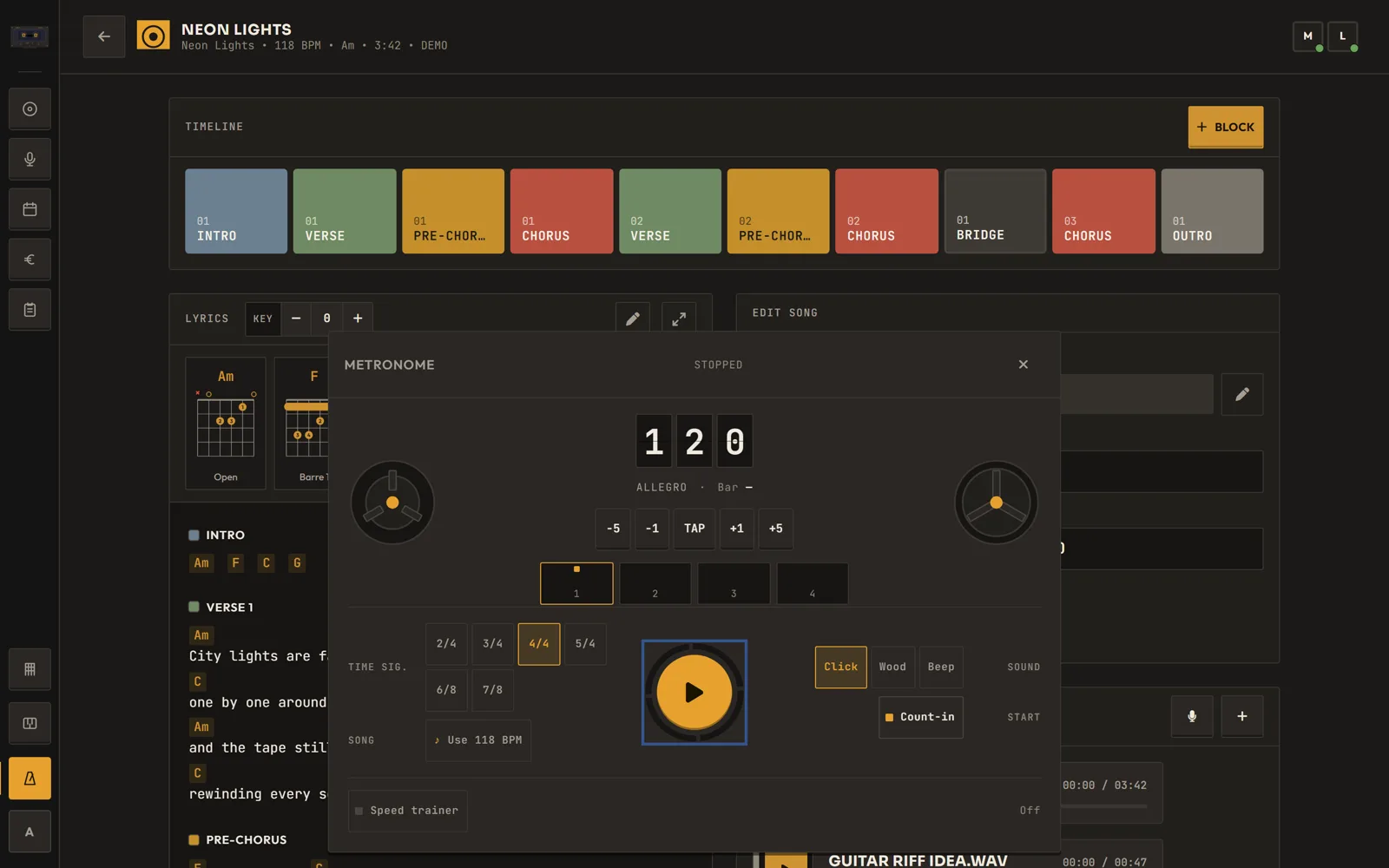
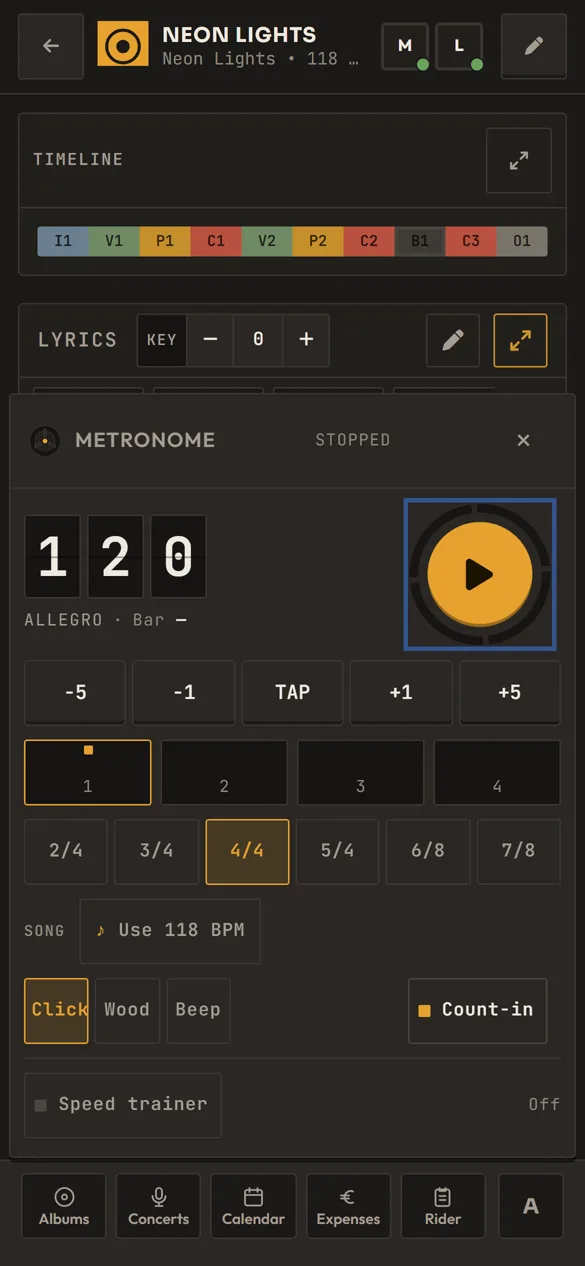
  • Metronome with count-in and speed trainer
  • Floating piano keyboard
  • Chord reference with diagrams
Tools in Songtape on desktop
Desktop
Tools in Songtape on a phone
Phone

Side B · The band

05Together

Work on it together.

Invite the band to the project and everyone works on the same songs.
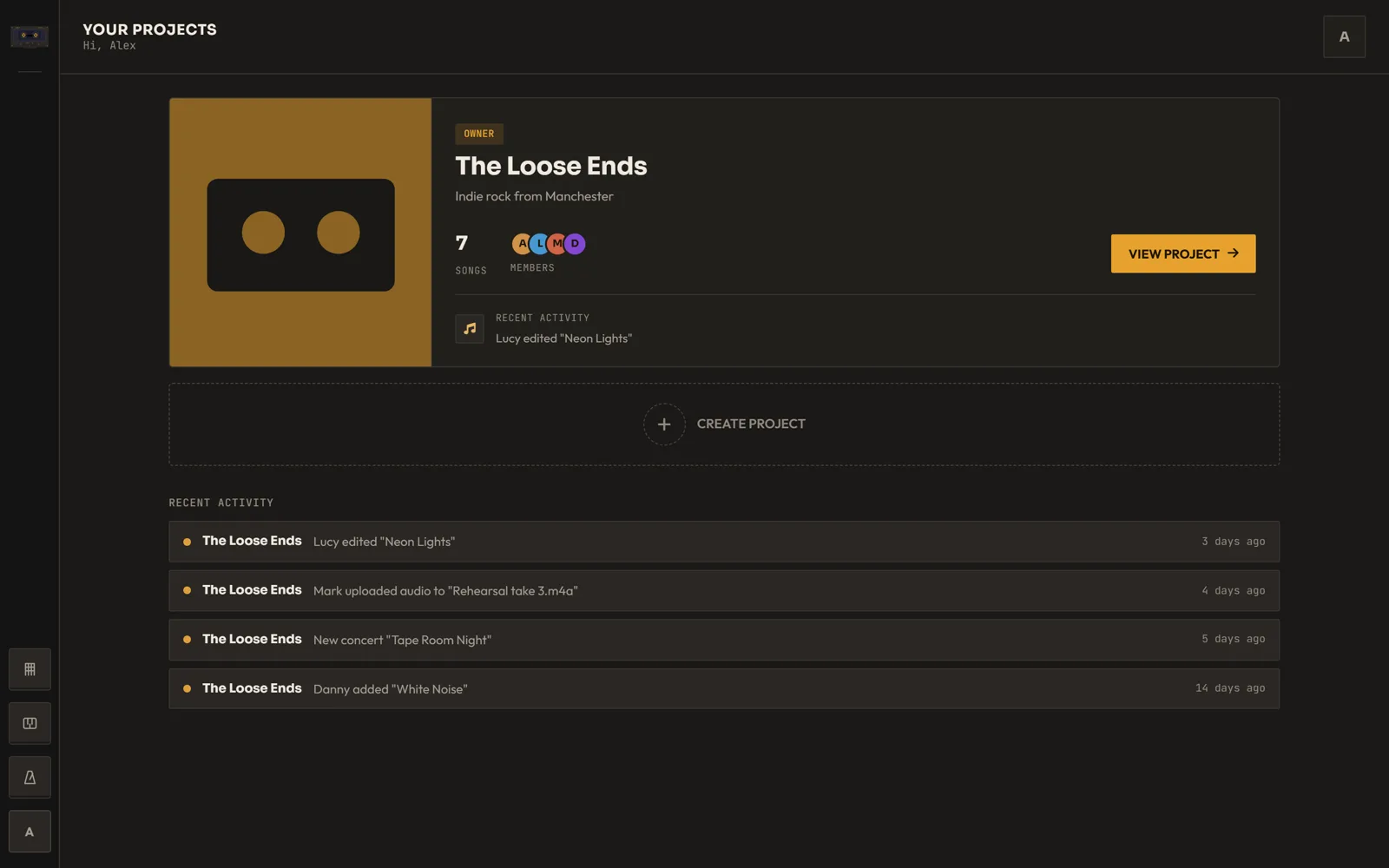
  • See who's in a song right now
  • Recent activity across your projects
  • Invite members by email or username
Together in Songtape on desktop
Desktop
Together in Songtape on a phone
Phone

06Gigs

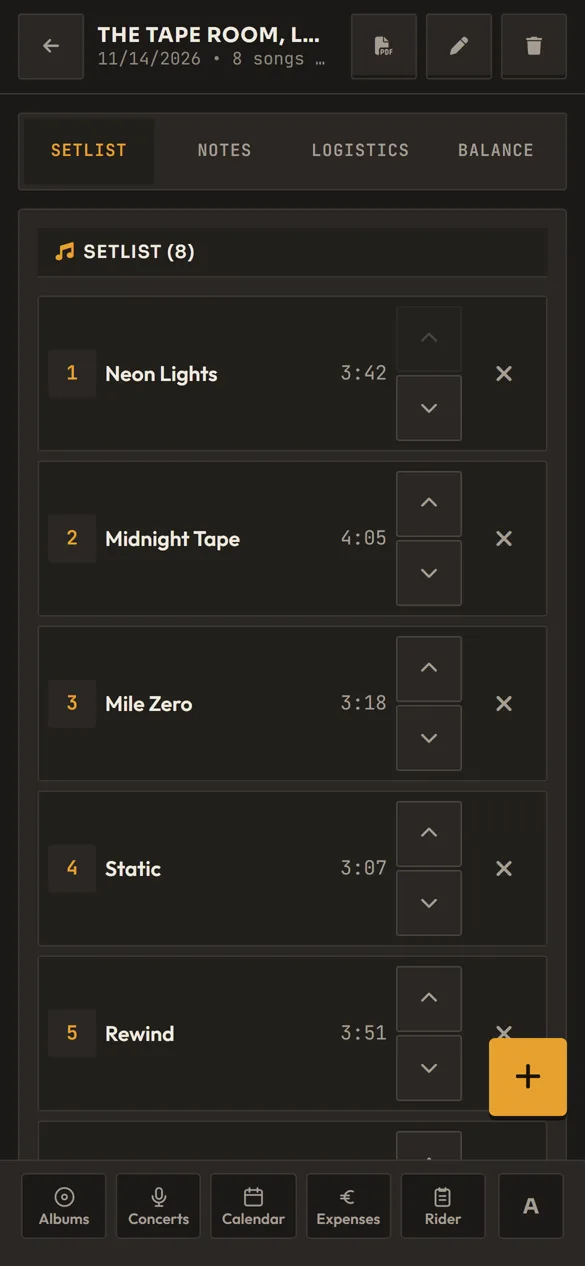
Setlists ready to play.

Plan each gig in one place: the setlist, the trip and the money.
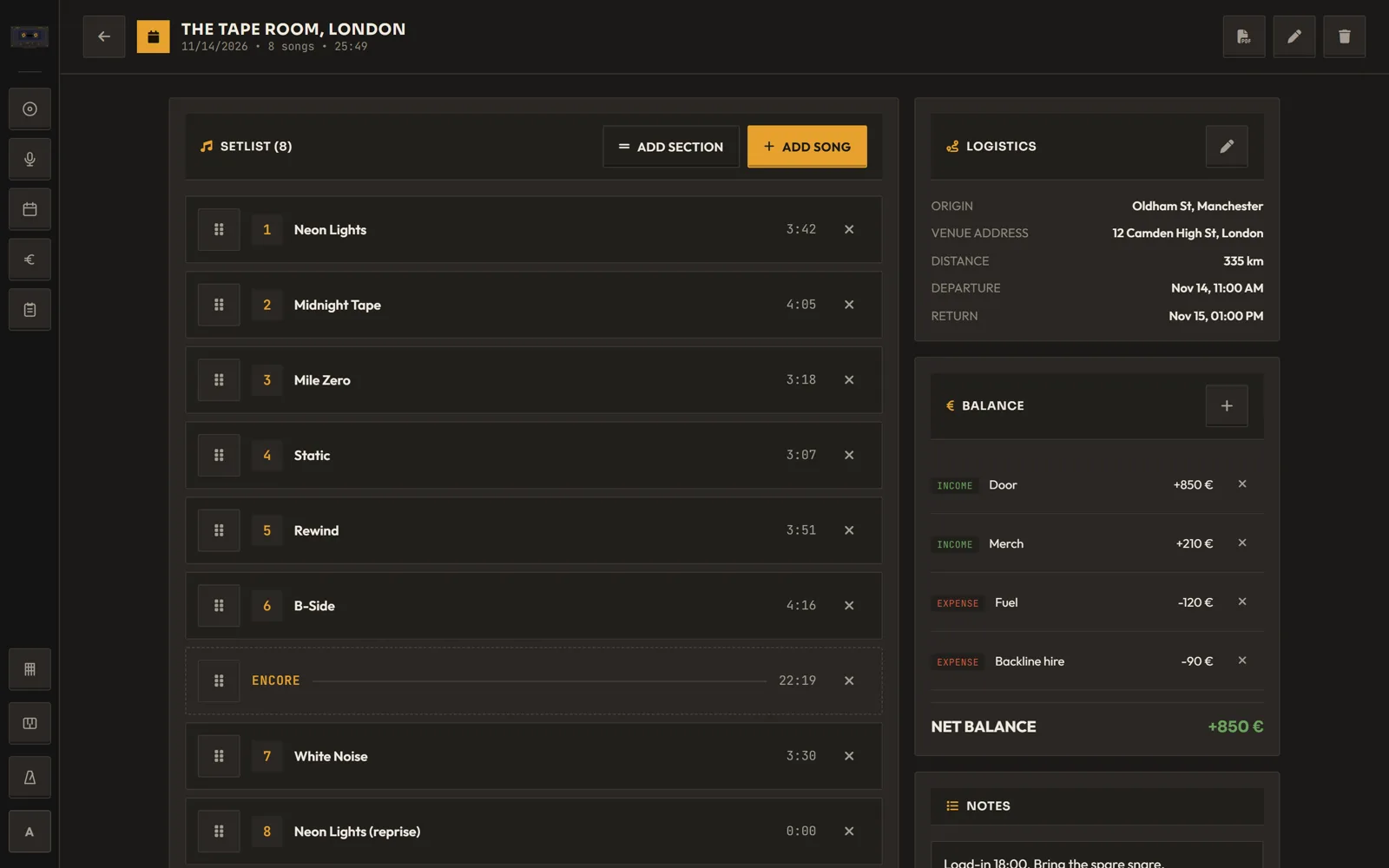
  • Setlist sections like the encore, with running times
  • Export the setlist to PDF
  • Travel details and the gig's net balance
Gigs in Songtape on desktop
Desktop
Gigs in Songtape on a phone
Phone

07Rider

A rider the sound engineer will actually read.

Draw your stage plot by dragging instruments, amps, mics and monitors. Songtape numbers the input list for you.
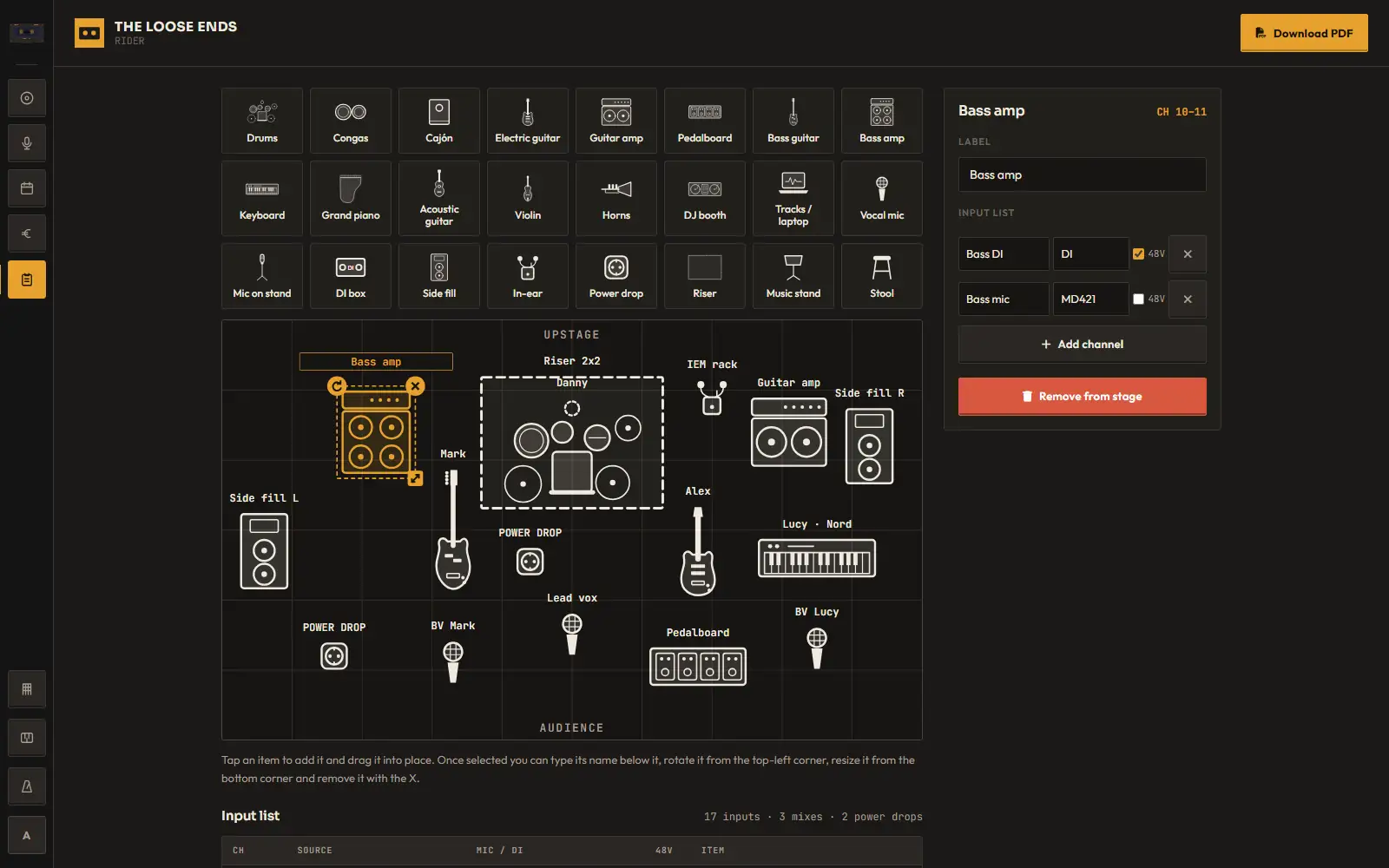
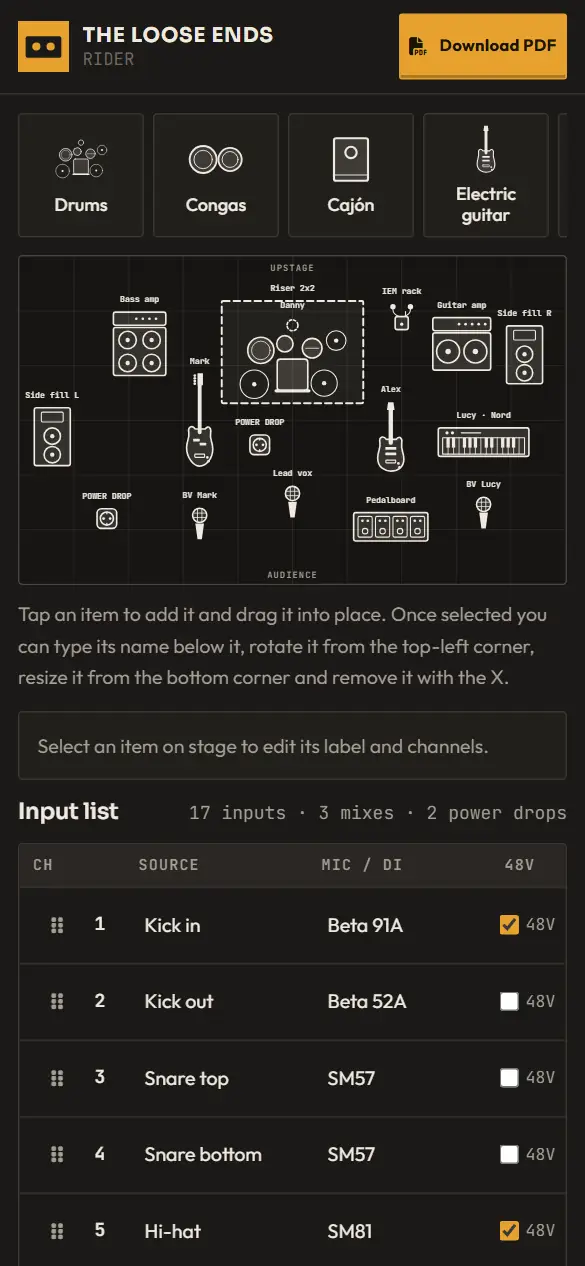
  • Drag-and-drop stage plot: drums, amps, keys, mics, monitors and more
  • Input list with channel, mic/DI and 48V, plus monitor mixes
  • One-click PDF to send to the venue
Rider in Songtape on desktop
Desktop
Rider in Songtape on a phone
Phone

08Calendar

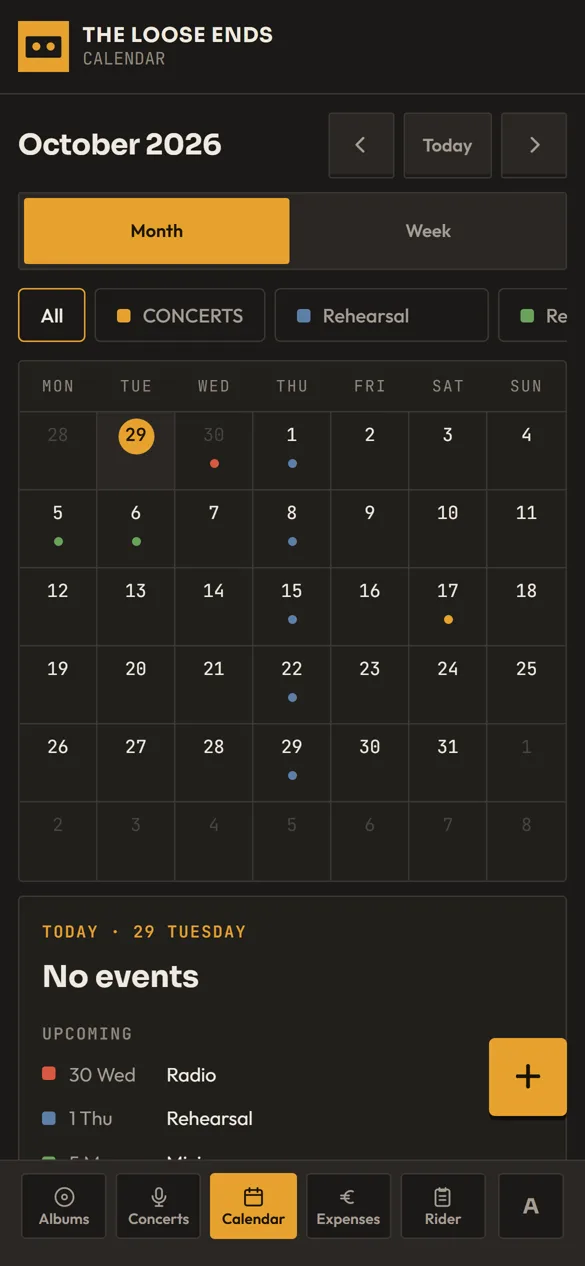
One calendar for the band.

Rehearsals, studio days and gigs share one calendar with color categories.
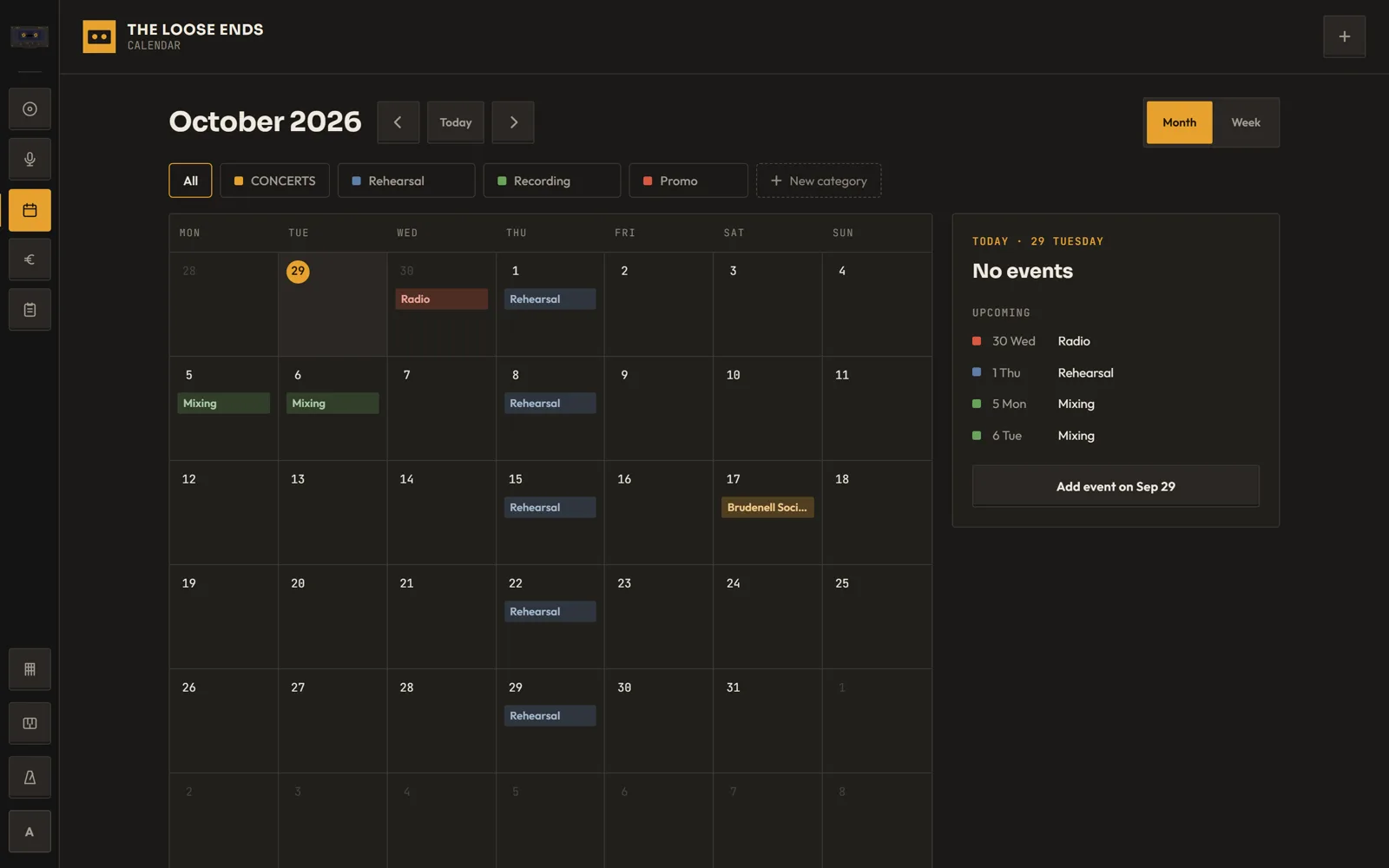
  • Month and agenda views
  • Gigs show up automatically
  • Multi-day events
Calendar in Songtape on desktop
Desktop
Calendar in Songtape on a phone
Phone

09Expenses

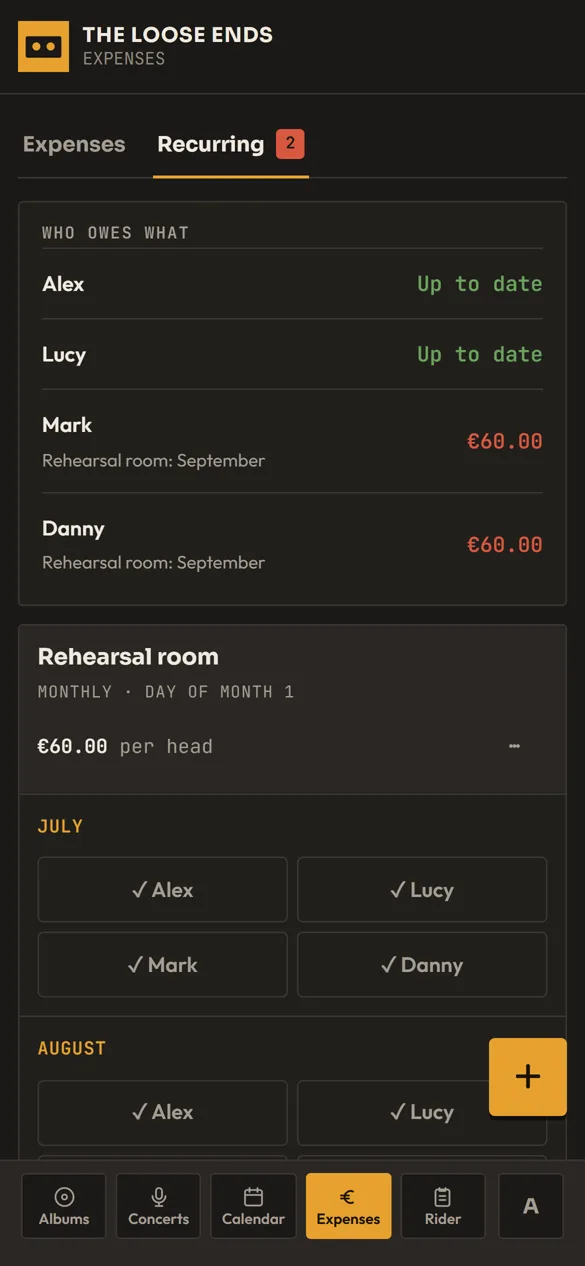
Split the costs, not the band.

Keep track of shared costs and monthly payments like the rehearsal room.
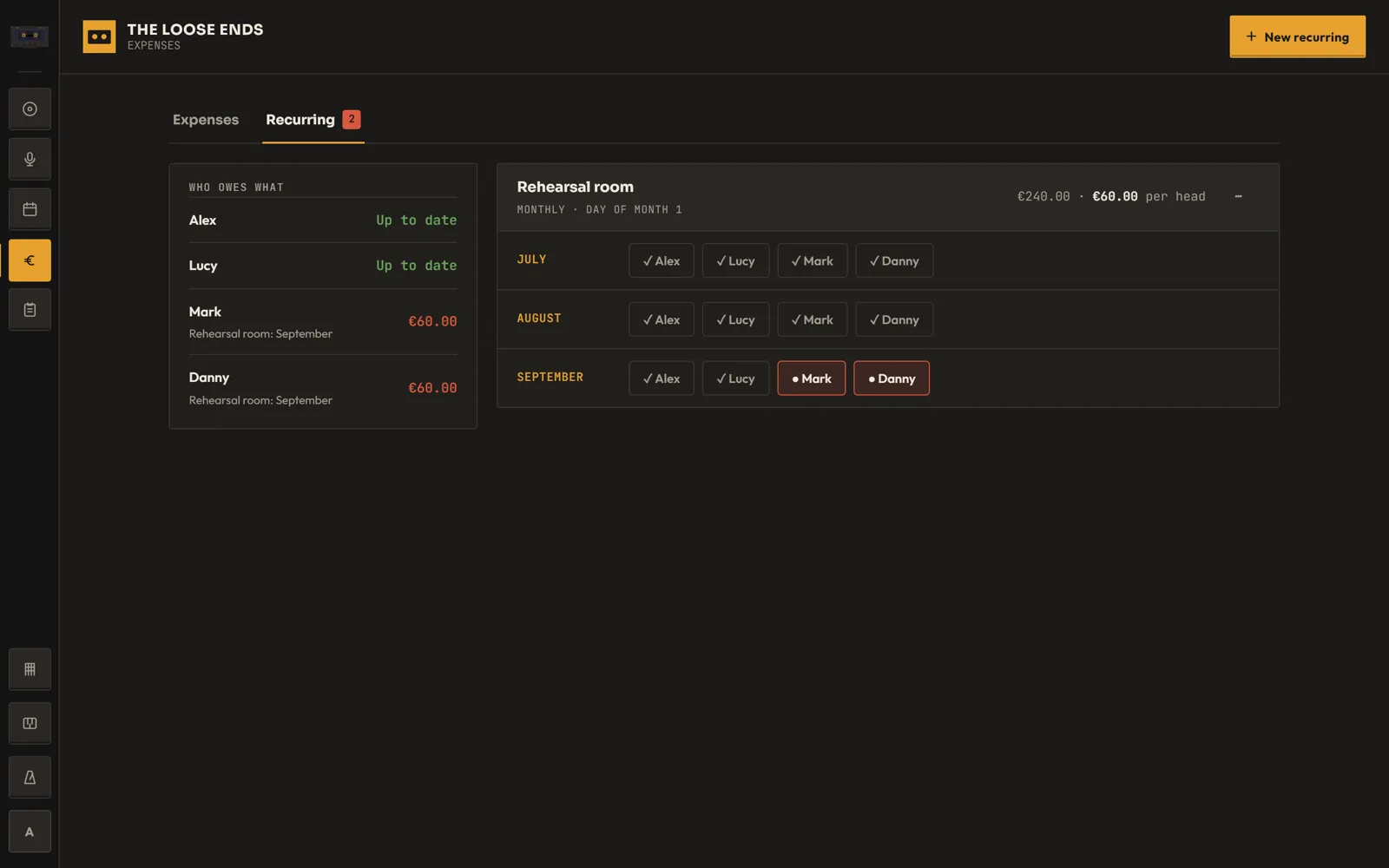
  • One-off and recurring expenses
  • Split between band members
  • See who has paid each month
Expenses in Songtape on desktop
Desktop
Expenses in Songtape on a phone
Phone
SIDE AT-60 HCCPRMN-DZ

Bring your band's songs together.

The free plan includes one album, three songs, 50 MB of audio and collaboration. Tabs, practice tools, gigs, technical rider, calendar and expenses come with Pro.

Screens show a demo band. Names, songs and numbers are fictional.